

Open source · Photo editor
PhotoCraft — open source Photoshop-style photo editor
A clean-room reimplementation of Adobe Photoshop, rebuilt in pure Rust. Layers, masks, adjustment layers, layer styles, type, vectors, brushes, and real PSD/PSB files — in a native app that is open source, offline, and yours. From storytold/photocraft on GitHub (early alpha).
What is PhotoCraft? Who is it for?
PhotoCraft is a free, open-source image editor from the ArtCraft / storytold team. The README describes it as “an open-source, clean-room reimplementation of Adobe Photoshop, rebuilt in pure Rust” — familiar menus and shortcuts, a GPU compositor on wgpu (Metal, Vulkan, DX12, WebGPU), real layered PSD/PSB files, and headless/agent control via CLI, JSON, or MCP.
It runs natively on macOS, Windows, Linux, FreeBSD, and in the browser via WebAssembly. License: MIT OR Apache-2.0. Status: early alpha — much of Photoshop’s surface exists in some form, but it is not yet a Photoshop replacement for daily professional work (per the project README).
- Familiar by design — Menus, shortcuts, panels, and tools where Photoshop users expect them
- Native and fast — No Electron; copy-on-write tiles and multithreaded filters
- Real PSD files — Open, edit, and save layered Photoshop documents
- Agent-ready — 500+ commands shared by UI, CLI, control channel, and MCP server
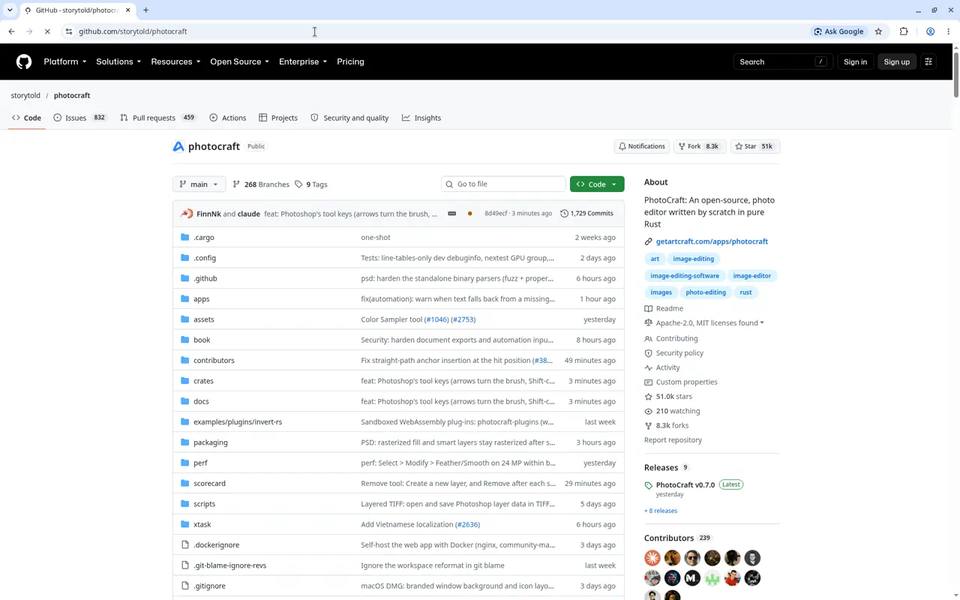
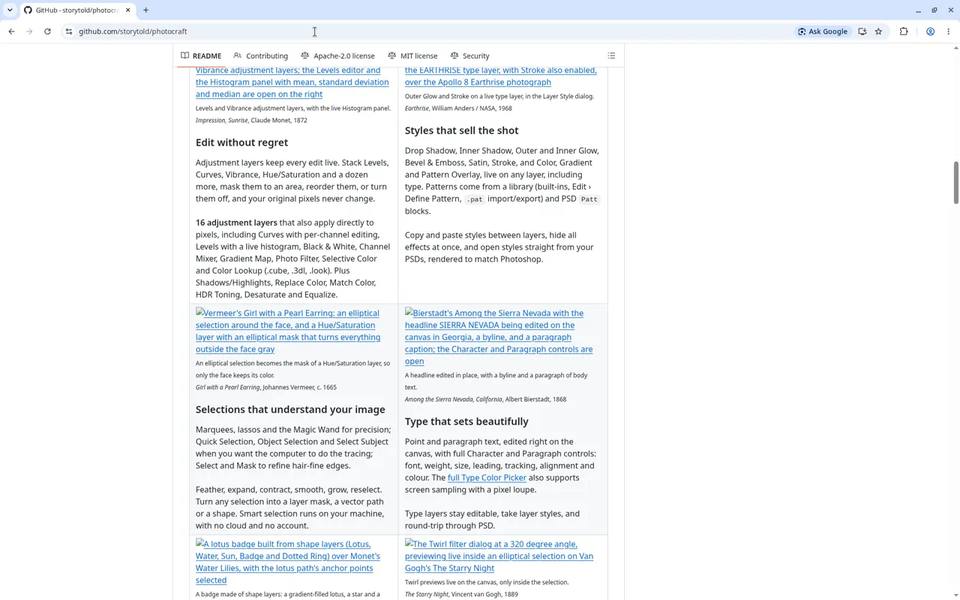
PhotoCraft on GitHub: the open-source repo
Screenshots of the repository page and README gallery so you can quickly spot the project home, stars, and official docs layout. Source of truth remains GitHub.
Product screenshots: layers, masks, and filters
Every shot below is a real app capture from the PhotoCraft README (docs/images/), rendered offscreen through the project’s control channel on public-domain art. Served same-origin under /images/.
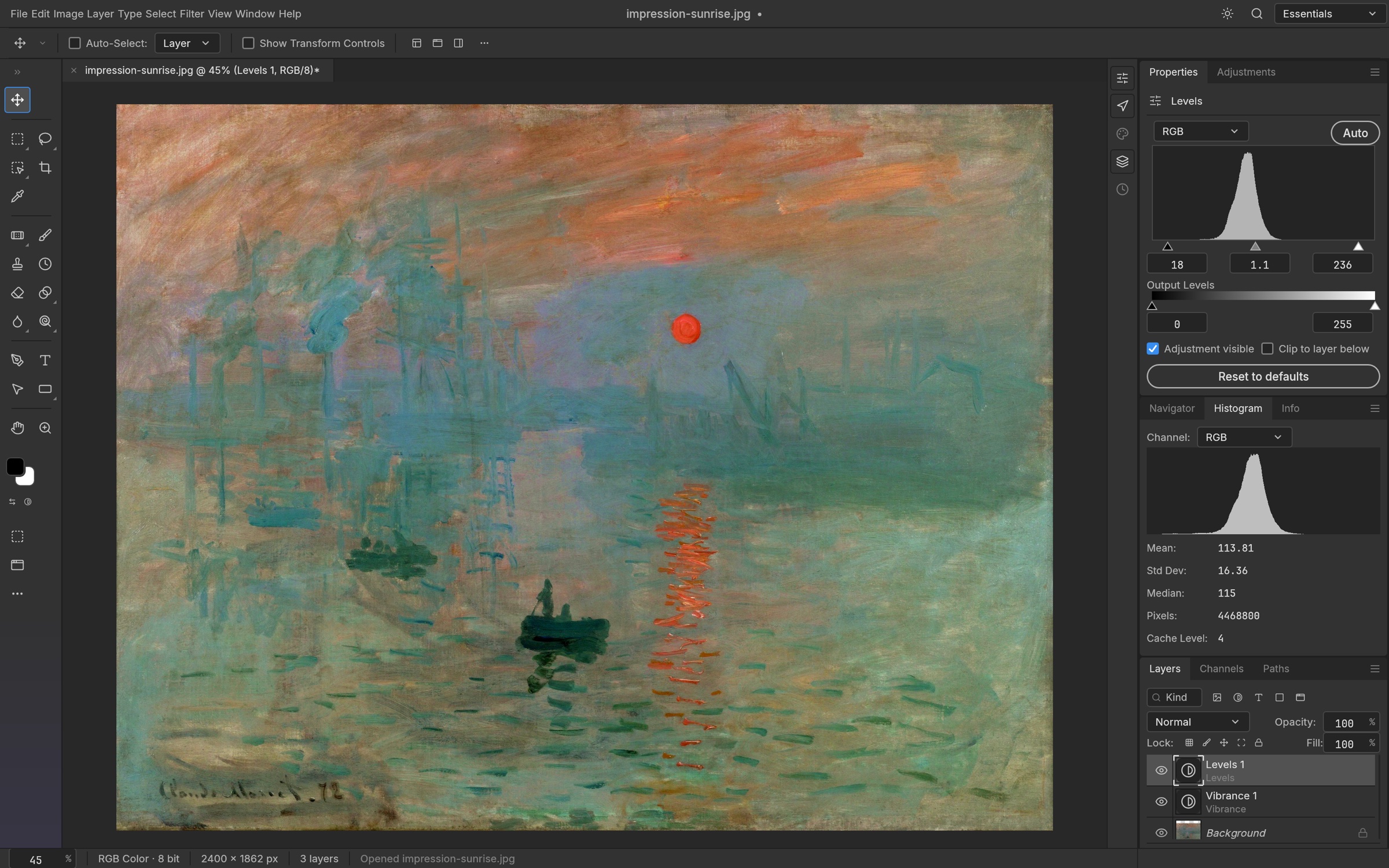
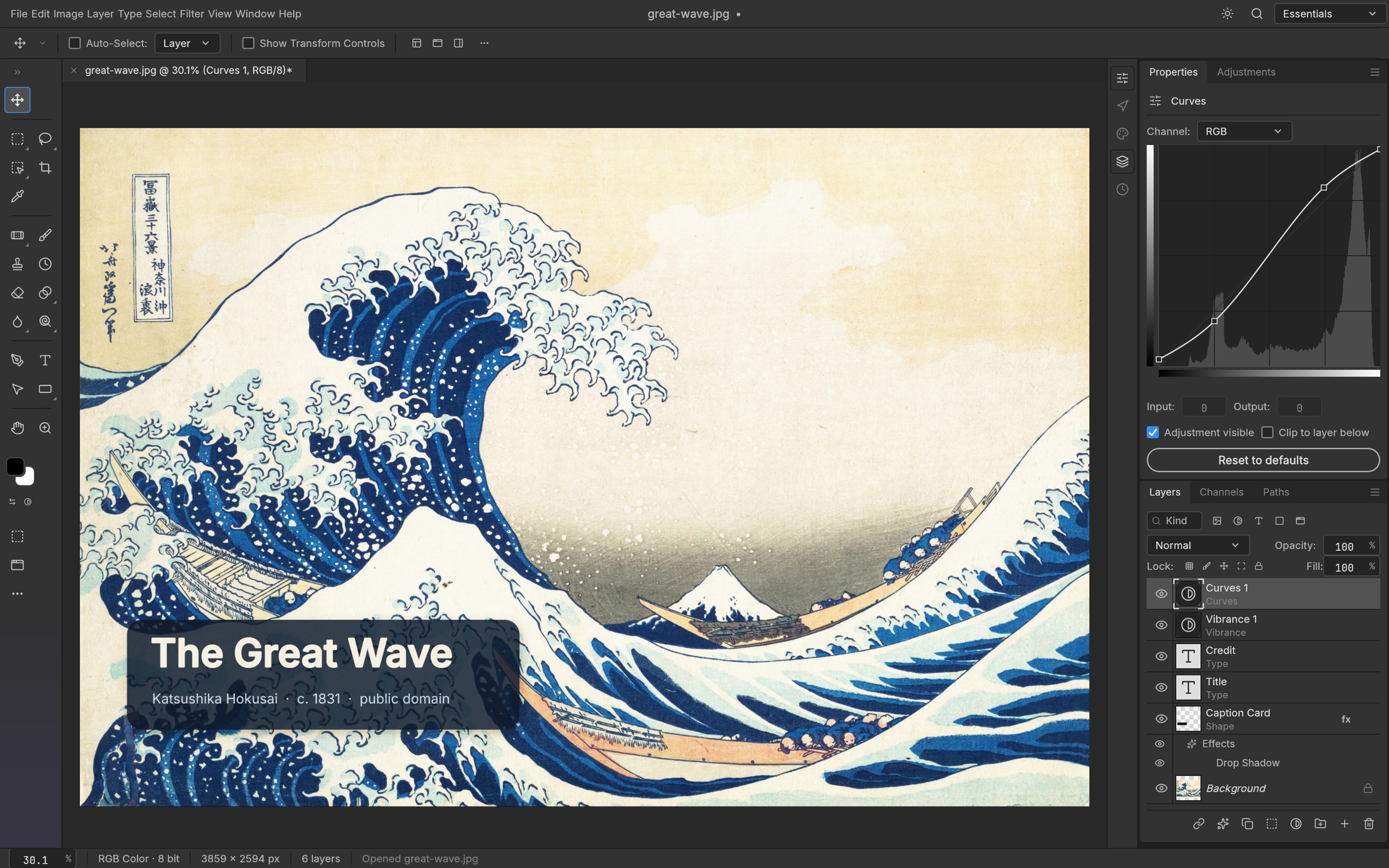
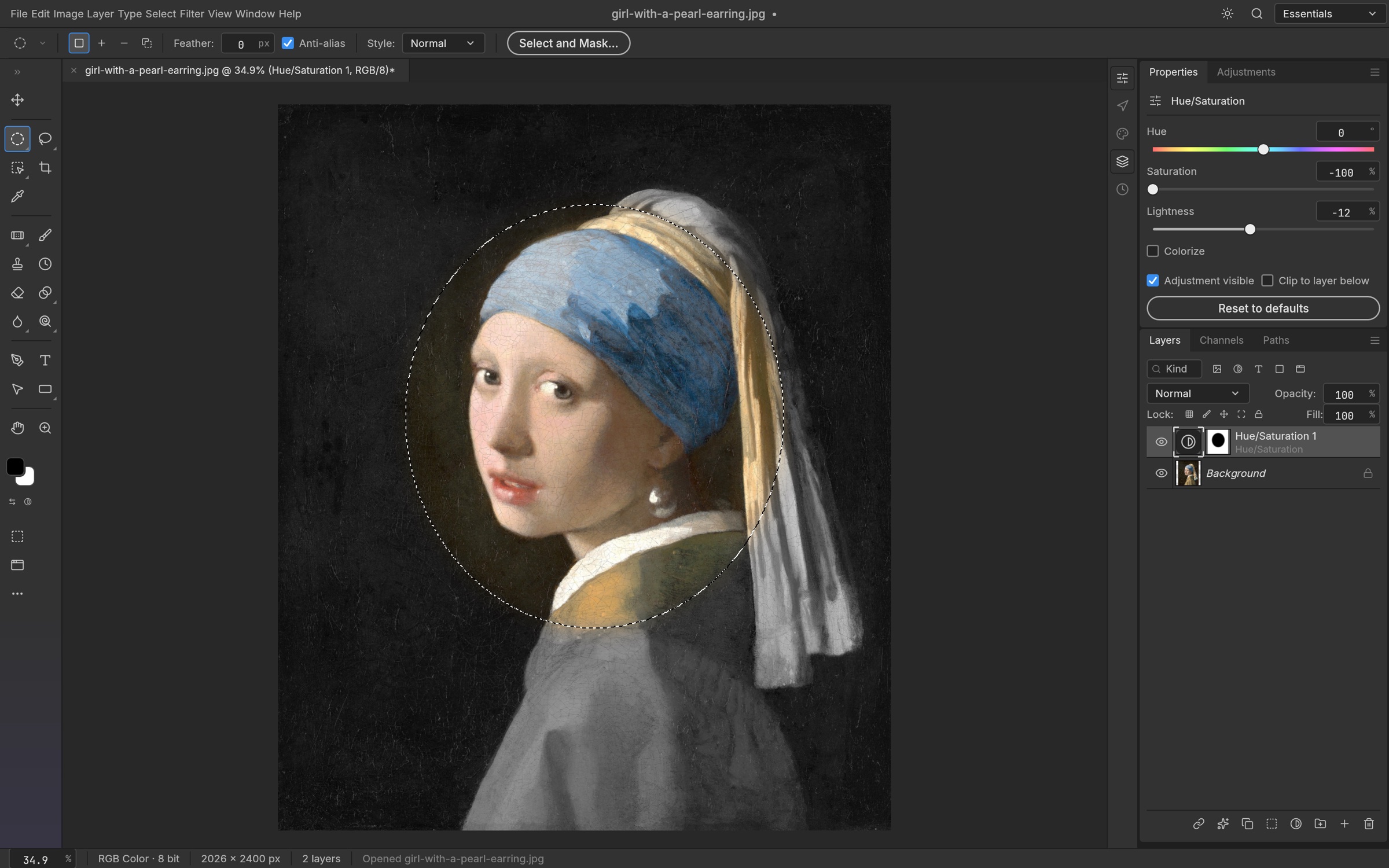
Edit without regret
Levels, Curves, Vibrance, Hue/Saturation and more stay live; original pixels never change.
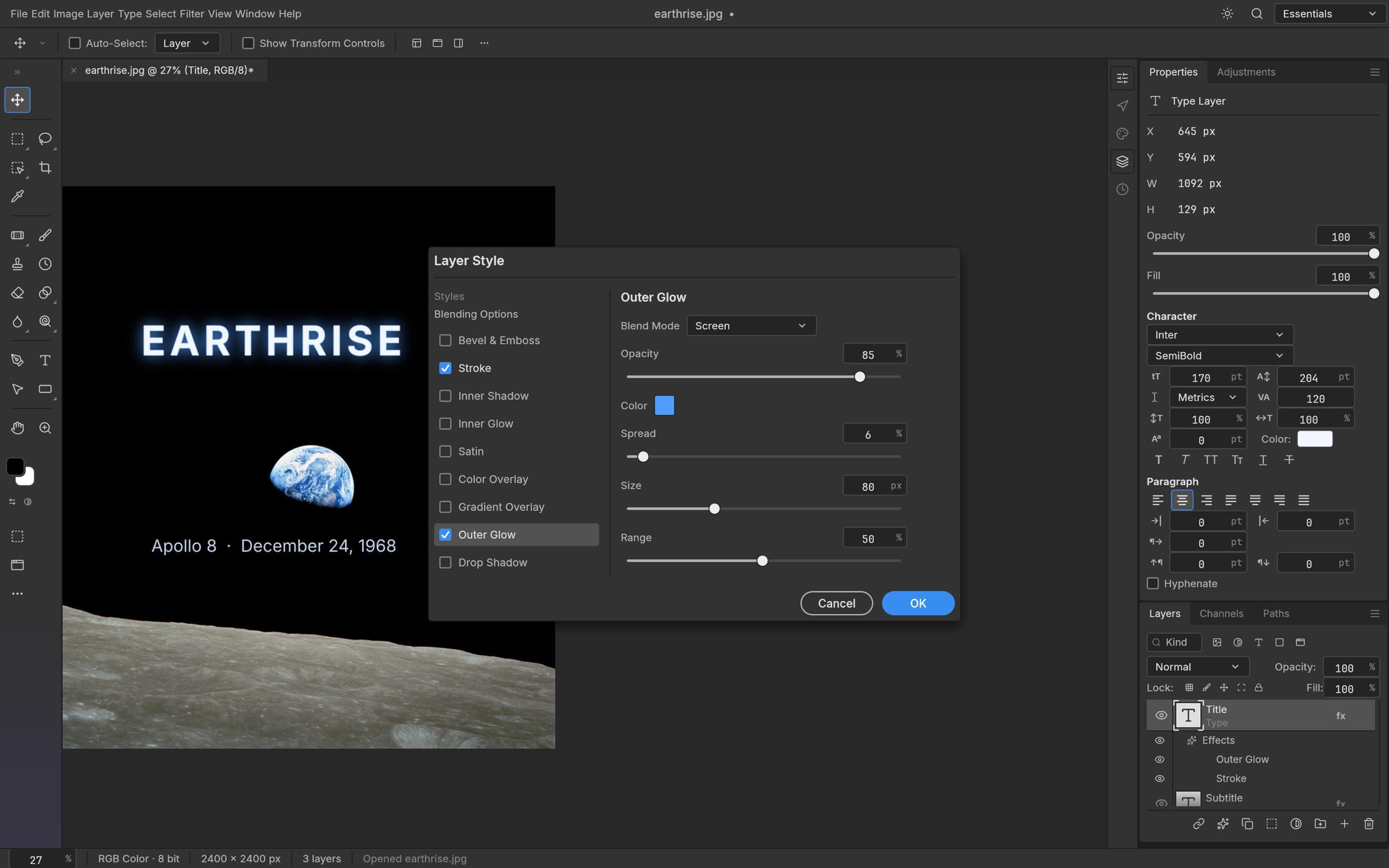
Styles that sell the shot
Drop Shadow, Glow, Bevel & Emboss, Stroke, overlays — including on type layers.
Selections & masks
Marquees, lassos, Magic Wand, Quick/Object Selection, Select Subject — on-device.
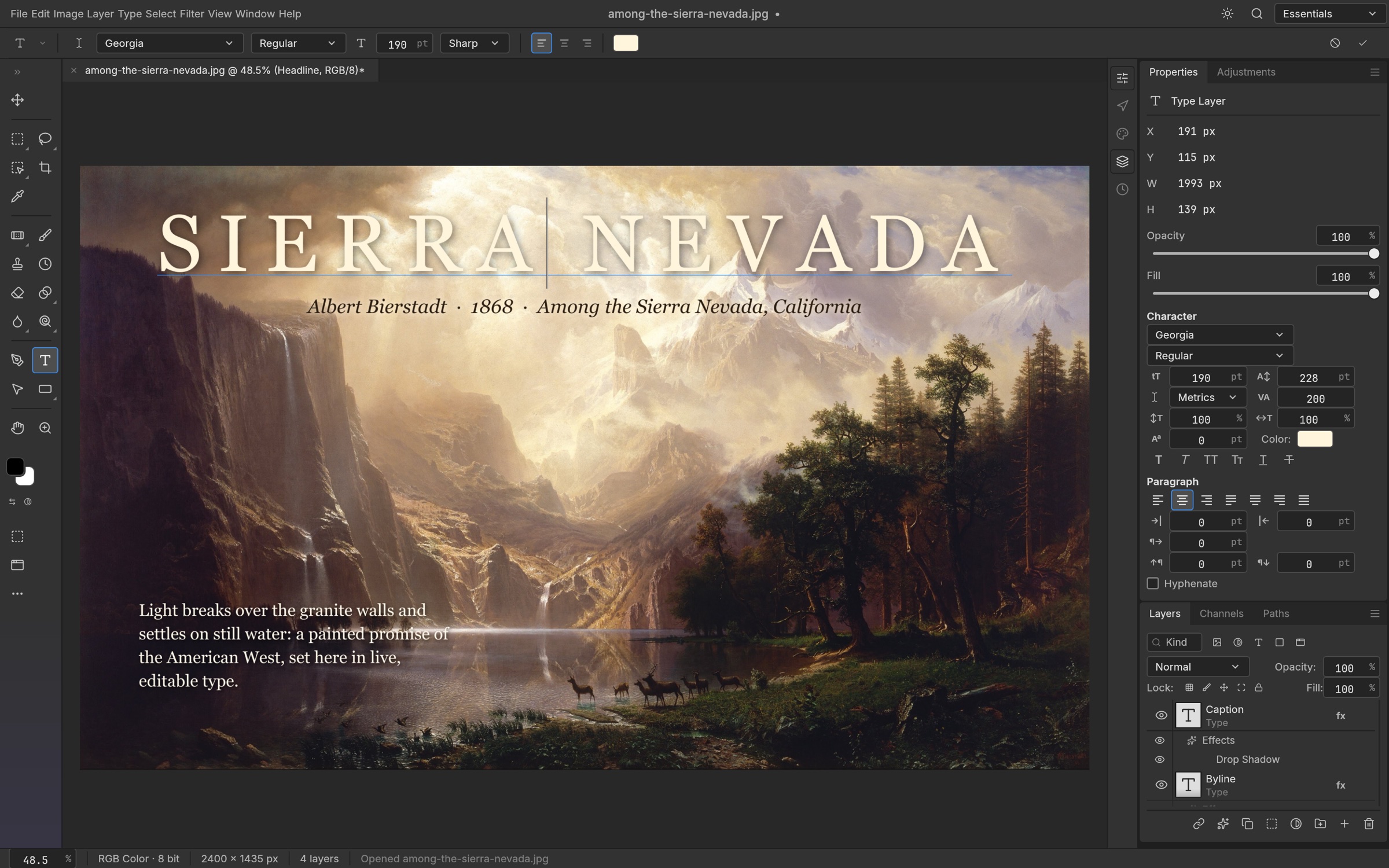
Live type on canvas
Point and paragraph text with Character/Paragraph controls; PSD round-trip.
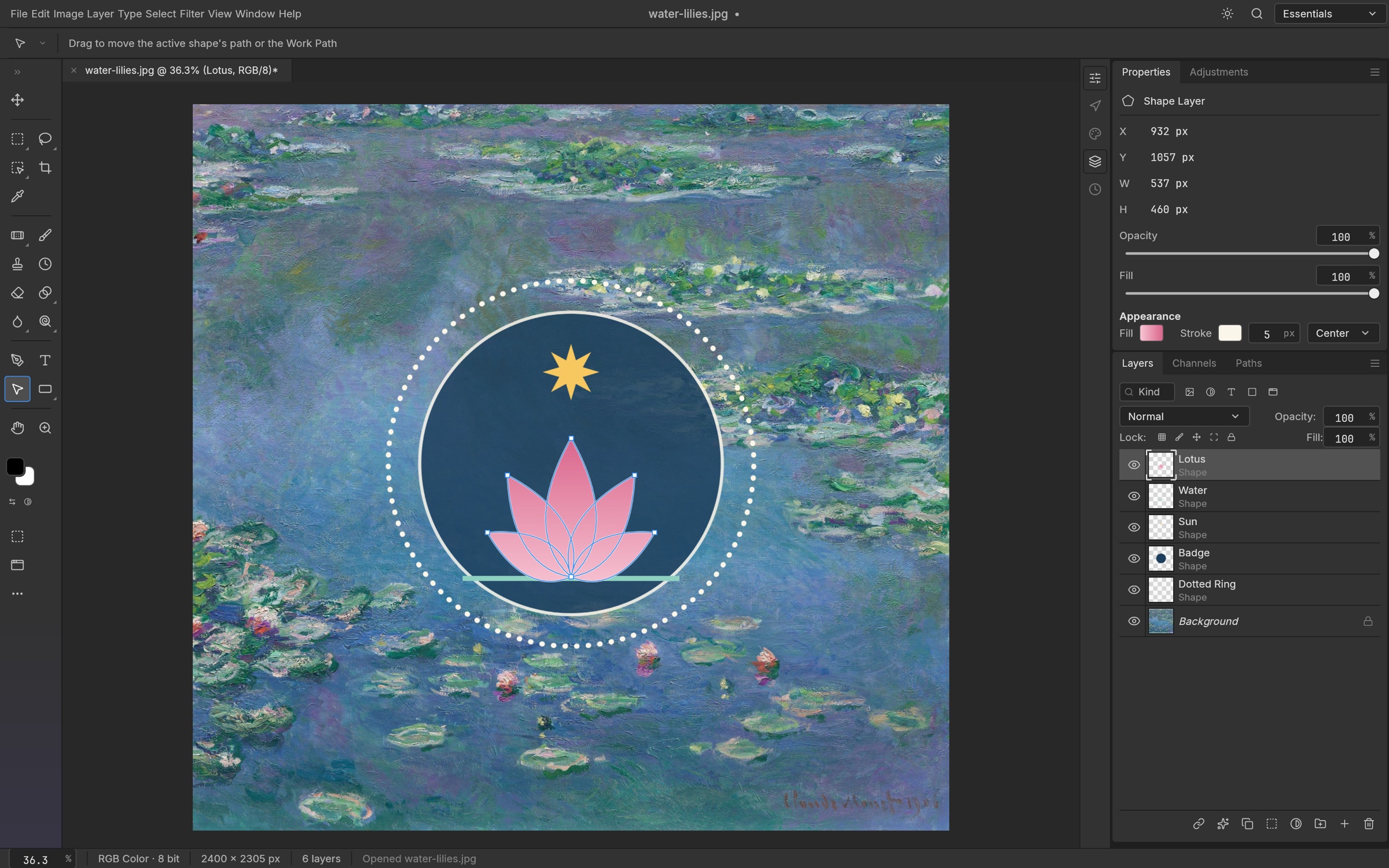
Vectors & shape layers
Pen tools, shape layers, paths, vector masks — resolution-independent.
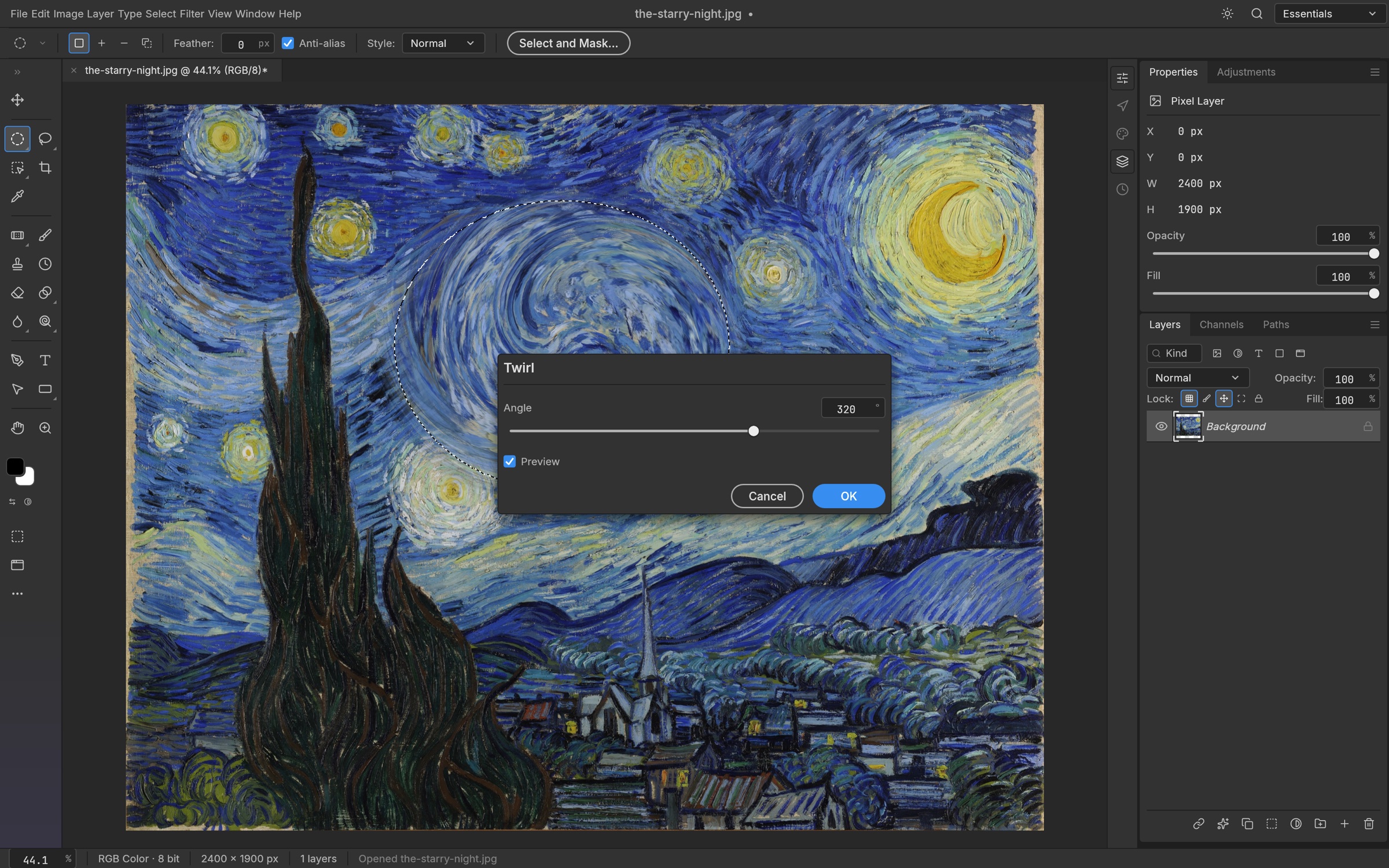
Live filter previews
Blurs, distortions, sharpen, stylize, and more preview through your selection.
Also in the README gallery: Free Transform / History (photocraft-transform.jpg) and Export As light theme (photocraft-export-light.jpg). Artwork sources: docs/images/SOURCES.md.
Features for an open-source Photoshop-style workflow
- 67 tools — From Move, marquees, and lassos through healing brushes, clone stamp, pens, type, shapes, Hand, and Zoom
- Brush engine — Shape Dynamics, Scattering, Texture, Dual Brush, Color Dynamics, Transfer, pen pressure/tilt, and more
- Layers done properly — Groups, clipping masks, pixel/vector masks, fill & adjustment layers, smart objects/filters, 27 Photoshop blend modes (+ Paint.NET variants)
- 16 adjustment layers — Curves (per-channel), Levels with live histogram, Black & White, Channel Mixer, Gradient Map, Photo Filter, Selective Color, Color Lookup (.cube/.3dl/.look), and more
- Colour & depth — RGB, Grayscale, CMYK, Lab at 8/16/32 bits per channel; ICC colour management in pure Rust
- Formats — PSD/PSB, layered TIFF, ORA, PDN3 (read), SVG, PNG/JPEG/WebP/GIF and more, native .pcraft; HEIC read-only in official builds
- PSD fidelity — Per README: re-saving keeps the render of 307 of 309 psd-tools test files
- Under the hood — Engine-first architecture across 24 crates, CPU + wgpu compositors, copy-on-write 256² tiles, 1,700+ tests, WASM build
- Agent / CLI — photocraft-cli run, batch actions, and photocraft-cli mcp for AI agents
How to install PhotoCraft or build from source
Easiest path for end users: download installers from the official PhotoCraft page or GitHub Releases (macOS DMG, Windows MSI, Linux AppImage/deb/rpm/Flatpak, FreeBSD tarball, web ZIP).
Build from source (from the project README):
git clone https://github.com/storytold/photocraft
cd photocraft
cargo run --release -p photocraft -- image.psd   # desktop app
cargo test --workspace                           # test suite
Optional Japanese/CJK fonts via craft-fonts:
git clone https://github.com/storytold/craft-fonts ../craft-fonts
CRAFT_FONTS_DIR="$PWD/../craft-fonts" cargo run --release -p photocraft
Linux Flatpak example:
flatpak install --user photocraft-<version>-linux-x86_64.flatpak
flatpak run ai.storyteller.photocraft
Contributors and agents: start with AGENTS.md and docs/ in the repository.
FAQ: Is PhotoCraft free? Can it replace Photoshop?
Is PhotoCraft free and open source?
Yes. The project is open source under MIT OR Apache-2.0. Source and releases live at github.com/storytold/photocraft.
Is it a full Photoshop replacement today?
No — the maintainers are explicit that PhotoCraft is early alpha. Much of Photoshop’s feature surface exists in some form, but gaps remain (AI/generative features, missing tools, typography depth, plug-ins). See the repo roadmap and parity docs.
Does it open and save real PSD files?
Yes. Opening and re-saving is a core goal; the README reports matching renders for 307 of 309 files in the psd-tools test set, with unsupported blocks carried over rather than dropped.
Can AI agents or scripts drive PhotoCraft?
Yes. Every action is a command (500+). Use the CLI (photocraft-cli run / batch), JSON control channel, or photocraft-cli mcp. The desktop app also exposes a loopback control channel for automation and offscreen screenshots.
Where should I download official builds?
Prefer getartcraft.com/apps/photocraft or the GitHub Releases page. This page is a product overview, not an official download mirror.
Unofficial overview. This page summarizes the public storytold/photocraft README for people searching PhotoCraft / open-source Photoshop-style editors. It is not the official product site, is not affiliated with storytold / ArtCraft, and does not redistribute binaries. Prefer GitHub and getartcraft.com for the authoritative source.